Applications & operations Perspective
6 Things A Best Sales CRM Ought To Do. Else, Change It
Lets start with a simple question: what should the best sales CRM do? Its easy to rattle off a list: Keep all customer details in one spot. Track potential...

In this article 0 sections
Let’s start with a simple question: what should the best sales CRM do? It’s easy to rattle off a list:
- Keep all customer details in one spot.
- Track potential customers from first contact to conversion.
- Handle repetitive tasks like follow-up emails and appointment scheduling automatically.
- Deliver insights on sales performance to spot trends and areas for improvement.
- Work seamlessly with your existing software, like email platforms and calendars.
- Track deals through various stages using visual tools.
- Assist team members in communicating quickly and effectively
But that’s a surface-level view, more like a creator’s perspective. The question of the ‘best sales CRM’ is, at its core, a business question.
If you’re an operations lead or anyone involved in operations, put aside the software feature list for a moment. Ask yourself what CRM software for sales truly ought to achieve for you.
6 Things That You Need In Your Sales CRM
We speak with both types of professionals daily and understand what they need from an application for it to be truly the best sales CRM. This post is here to help you-no matter your role-set the right expectations for your system.
What an Ops Leader Must Expect from a Sales CRMKey features an operations leader expects from a sales CRM
The biggest problem for operations managers is that the world they design in flowcharts and process diagrams often looks nothing like the real workplace. Processes are only as effective as the people who carry them out. Every day, value leaks from work because:
- People don’t know what’s important.
- People are unsure what task to tackle next.
- People don’t clearly know what they did well and where they need to improve by the end of the day.
While ops managers want to rely on structured playbooks, workers act based on what’s fresh in their memory, what’s easy, or what others are pressing for.
- The Best Sales CRM Will Help You…
- Start with a playbook and design processes in the CRM so that workers follow them naturally.
- Integrate steps, triggers, and reminders into CRM workflows, ensuring the right work gets done at the right time.
When this happens, workers feel liberated. They no longer need to rely solely on memory to decide where to focus. For ops managers, this is as close as it gets to a utopia where workers autonomously perform exactly as intended. What we described above covers the foundational layer of industrialized work-the core of corporate work culture driven by efficiency.
2. Beyond Individual Efficiency-Team Efficiency
True progress comes when ops leaders focus on team efficiency, not just individual tasks. This requires making strategic decisions about where to allocate people, time, and budget. To achieve this, they need:
- A bird’s-eye view of historical data and its insights.
- Clear visibility into pipelines and projected demand.
- Full clarity on available resources and an understanding of who excels at what.
Your best sales CRM should simplify this analysis, enabling you to align resources with projects and maximize productivity. This is how ops managers stay ahead, aiming for the elusive “pot at the end of the rainbow”-achieving more with less.
3. Reliable Insights, Not Just Intuition
Your CRM should minimize the need for guesswork when tackling questions like:
- What’s working?
- What needs improvement?
You should have access to reliable insights and key performance indicators (KPIs) critical to your role, such as win rates, sales cycle times, and conversion rates at each stage of the funnel.
The challenge is that while many CRM software for sales claim to provide these insights, they often fall short. They lack the flexibility to connect seamlessly with various data pipelines across a company. This prevents them from becoming the single source of truth they need to be for genuine reliability.
Empowering Workers with Your Sales CRM
It’s a mistake to view CRMs as tools of tyranny wielded by ops managers, forcing workers through endless hoops. No process can succeed this way. Your CRM must empower the people actually doing the work. Here’s how it can help.
- Eliminating Mental Clutter
Mental clutter prevents workers from performing at their best. Even the most motivated employees can end up focusing on tasks that aren’t as important.
For example, re-engaging a dormant customer brings far more value than a third follow-up with a cold lead. How can workers know exactly what to prioritize when they have hundreds of tasks on their plate?
The best sales CRM tools should provide smart, automated prompts and notifications, clearly marking tasks by priority. This offloads the mental burden, allowing workers to focus on high-quality work instead of figuring out what to tackle next
2. Reducing Errors Through Guidance
Another major benefit of a CRM is its ability to make errors less likely. Mistakes often stem from mental overload when workers juggle too many tasks or when process maps become too complicated.
A CRM can guide them step by step through workflows, reducing the chance of mistakes. Additionally, workflows often need to evolve. If your CRM can’t adapt quickly, workers are forced to remember processes partly from memory and partly from what they see in the CRM, leading to confusion and frustration. The best sales CRM tools are flexible enough to accommodate workflow changes with ease.
3. Boosting Sales Through Better Relationships
For a sales CRM to be truly ‘best’, it should ultimately boost your sales by helping sales professionals build stronger relationships with customers. This happens when the CRM provides timely follow-up reminders, suggests what to say during interactions, and delivers genuine insights about customers.
This way, sales professionals can tailor their communication effectively. Ideally, a customer should never have to follow up on their own. The CRM should prompt staff to take the necessary actions on time, leading to delighted customers and better sales outcomes.
Now the Big Question
Does the standard sales CRM offer this? Can you really call it your best sales CRM? For most ops managers, the answer is a clear no.
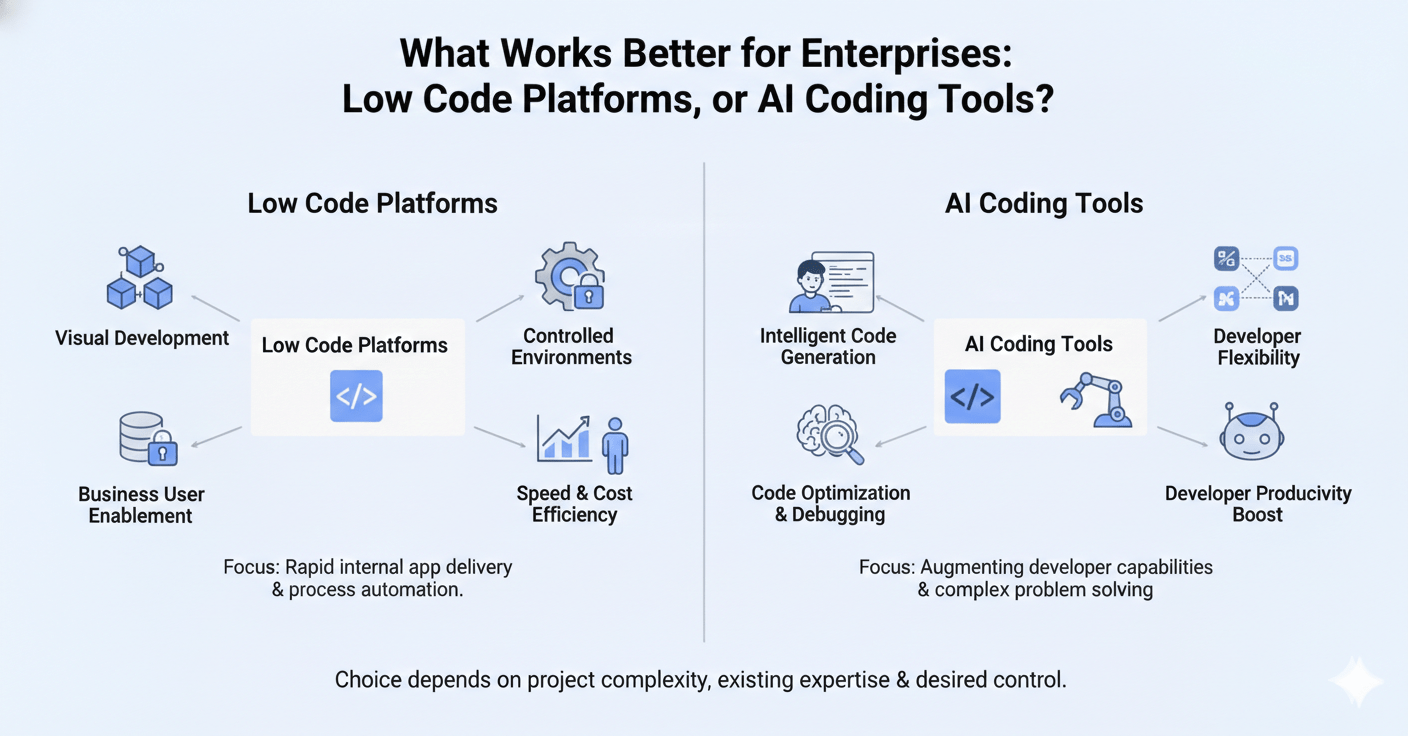
The root cause? Most traditional CRMs are high-code. These CRMs operate on the assumption that a single, static process map will work for your business. But businesses are never static-processes must change daily based on customer needs.
When a CRM can’t adapt quickly, work becomes slow, difficult, and demotivating. Workers feel it first, and soon even ops managers see that the technology meant to help their teams has become a stumbling block. This problem has only truly been addressed over the last five years, starting in early 2020.
Initially adopted by Fortune 500 companies, this revolutionary CRM paradigm-built on Low-Code technology-has now become accessible to smaller businesses. A Low-Code CRM allows anyone with basic computer skills to create the applications they need using a visual interface.
While it may sound simple, a sales CRM with Low-Code is genuinely transformative. Tasks that take traditional developers ten months can be achieved by someone trained in a Low-Code CRM in one month. This approach cuts development costs by around 75%, enabling organizations to shift from “Which projects are urgent enough to justify the budget?” to “We have an unused budget; let’s digitize more work processes.”
These may sound like bold claims, but we only need half an hour to show you how Amoga’s Low-Code CRM can achieve this transformation. If you’re ready for Low-Code sales CRM, ask us for a no-obligation demo at your convenience.