Applications & operations Perspective
Can Low-Code CRM clean up your IT mess?
Cleanliness is next to godliness. This proverb applies to life and the world of IT. A cluttered room makes finding anything a nightmare. Its low-code crm.

In this article 0 sections
Cleanliness is next to godliness. This proverb applies to life and the world of IT.
A cluttered room makes finding anything a nightmare. It’s the same with IT. When your IT landscape is littered with disparate applications, your people lose their time in locating the right tool or data. This is frustrating and wastes time. Think of how unkempt rooms decay faster. In a similar way, cluttered IT poses security risks.
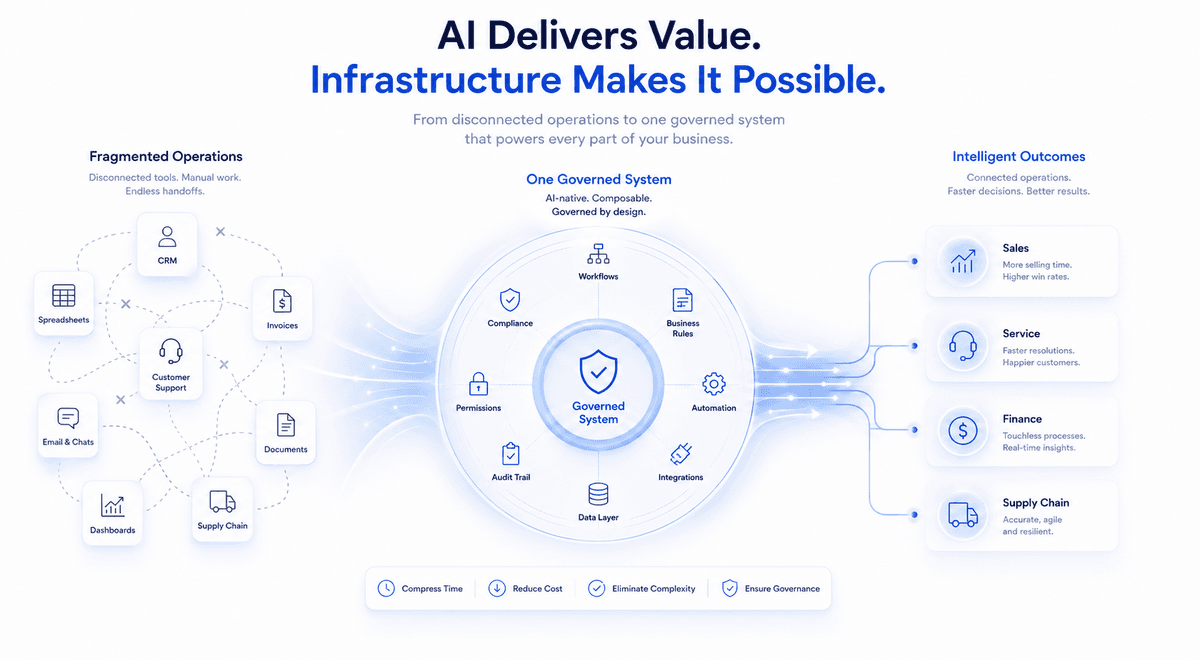
Unfortunately, many CIOs lose sleep over their ‘untidy rooms’. This problem of “application clutter” is a natural outcome of a buildup of apps from mergers, past projects, or departments taking their tech into their own hands. The result: their organisation’s IT looks like a group of islands when seen from the top.
Highlighting the severity of IT clutter, consider the Paris airport incident in November 2015. The airport faced several hours of shutdown due to a critical computer crash running on a 23-year-old Windows 3.1 system, and meanwhile, planes were grounded. This disruption exemplifies the risks posed by outdated technology lingering in IT infrastructures. If you’re an IT leader, you know the one question that ought to have been asked: ‘Why was that system still in place?’. Likely, a combination of factors stemming from application clutter. So let’s try to understand what causes IT clutter in the first place.
What causes IT clutter?
The truth is, IT clutter stems from the same thinking traps that cause any kind of mess:
- “We don’t have time to deal with this now” leads to quick fixes and point solutions that create long-term problems.
- Opting for cheap, “good enough” solutions might seem like a win initially, but these tools often lack scalability and integration, leading to higher costs down the road.
- “If it ain’t broke, don’t fix it” can be a tempting mentality. However outdated systems hinder efficiency and leave you vulnerable to security risks.
Of course, even when a CIO lays their finger on the pulse of the problem, they find it nearly impossible to convince the other chief executives of the need to clean the IT mess. In fact, executives outside of IT see upgrades as pointless if things seem to be working. Even end users (who are the worst victims of IT clutter) are prone to resist any changes. That’s because they fear a loss of control over how they do their jobs, especially if they rely on “shadow IT” solutions.
Worse yet, many older systems have terrible documentation. IT teams may not even fully understand how all of these systems connect and what data they hold. This uncertainty makes replacing them seem risky. So, the “if it ain’t broke…” mentality isn’t always about not wanting to do what’s hard, yet important. This scattershot approach to IT ultimately hurts your bottom line, with sales teams feeling the brunt of the impact. How? Let’s find out.
How tech clutter suffocates sales
Clunky, outdated tech stacks are the silent assassins of an employee’s spirit to do good work. Imagine your reps, sharp and motivated, but weighed down by a mess of apps. Sadly, most CEOs don’t have to imagine this; they can this in the workplace every day. Let’s see exactly how this tech clutter cripples your sales engine.
The problem of ‘app labyrinths’ for new joiners
When you hire someone new, they promise to be a breeze of fresh energy… until they find themselves lost in a maze of apps. Aren’t new hires supposed to ‘hit the ground running’? Then why are they drowning in application SOPs? Remember this: each unnecessary app adds another layer of complexity to work. Even training becomes a backbreaking journey as employees try to wrap their heads around scattered apps, pointless app features, and the word of them all – data silos. This robs sales teams of precious learning time. What would you want your sales teams to be doing? Building relationships with customers? Or deciphering cryptic app interfaces?
The problem of ‘where did I put that sheet’
Sales is all about speed and access to the right information. But with tech sprawl, crucial data becomes scattered across tens of applications. Reps spend hours hunting for that vital lead or prospect note. Imagine the frustration and lost opportunities while they hop from one data island to another.
The problem of ‘too many context-switches’
An army of apps can quickly morph into an army of tasks. Think of this; every new application means new SOPs, new processes, new notifications, and yet another layer of work that scrapes away mindspace.
Make no mistake: every notification is a distraction. Every update becomes another item on an ever-growing to-do list. Reps get bogged down in the weeds of managing apps. When you’d want them to think about strategic sales activities, they’re merely referring to process documents on how to fill a dozen fields on an app screen. Sure, we don’t want to go deeper into the problem. We’re more interested in the solution. So let’s find out how you can overcome this problem of IT clutter.
The solution to the problem of IT clutter
Simple. Don’t let a technology vendor dictate what you need. Don’t fall into the trap of tech jargon. Before you talk to any CRM vendor, get crystal clear on your business needs. What are the daily bottlenecks holding you back? What kind of flow would make your teams unstoppable? Your top priority has to be to build an IT roadmap with zero obstacles for the users. To do this, think in terms of first principles.
Here are four such principles to get you started:
-
Technology should let users help themselves
Your teams shouldn’t be waiting on IT for every little fix or change. There needs to be a direct channel for them to say “Hey, this doesn’t work” or “It would be so much smoother if we could…” Giving them this voice empowers them to shape the way they work.
-
Technology should let you build on best practices, and not from scratch
You shouldn’t be reinventing the wheel. Your system needs starting templates, built around proven ways of doing things. But the key is flexibility – let your teams easily adjust these to fit the way they actually operate.
-
Technology should ease connections between systems
No more hopping between a dozen apps to get a full picture of what’s going on. Your tools should integrate, giving you a single, streamlined view of your sales process, customer data, and everything in between.
-
Technology should be easy and affordable to use
Don’t settle for “that’s just how tech is.” If a system can’t work for your teams without costly overhauls or long delays, it’s the wrong system. Solutions exist that let your people adapt and innovate quickly, without needing a huge budget or an IT army. The answer to overcoming tech clutter lies in this kind of shift. And it turns out that Low-Code approaches are often the perfect fit…
How Low-Code CRM can help
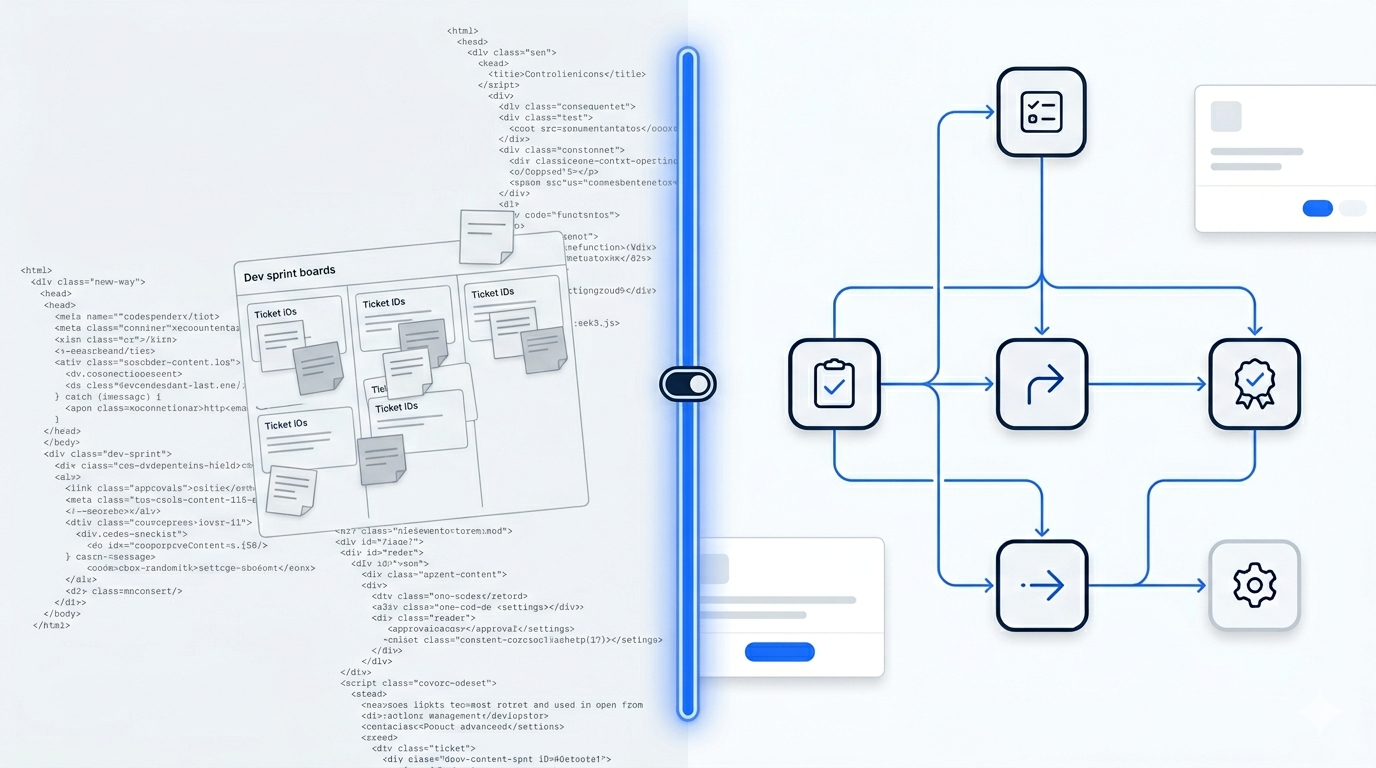
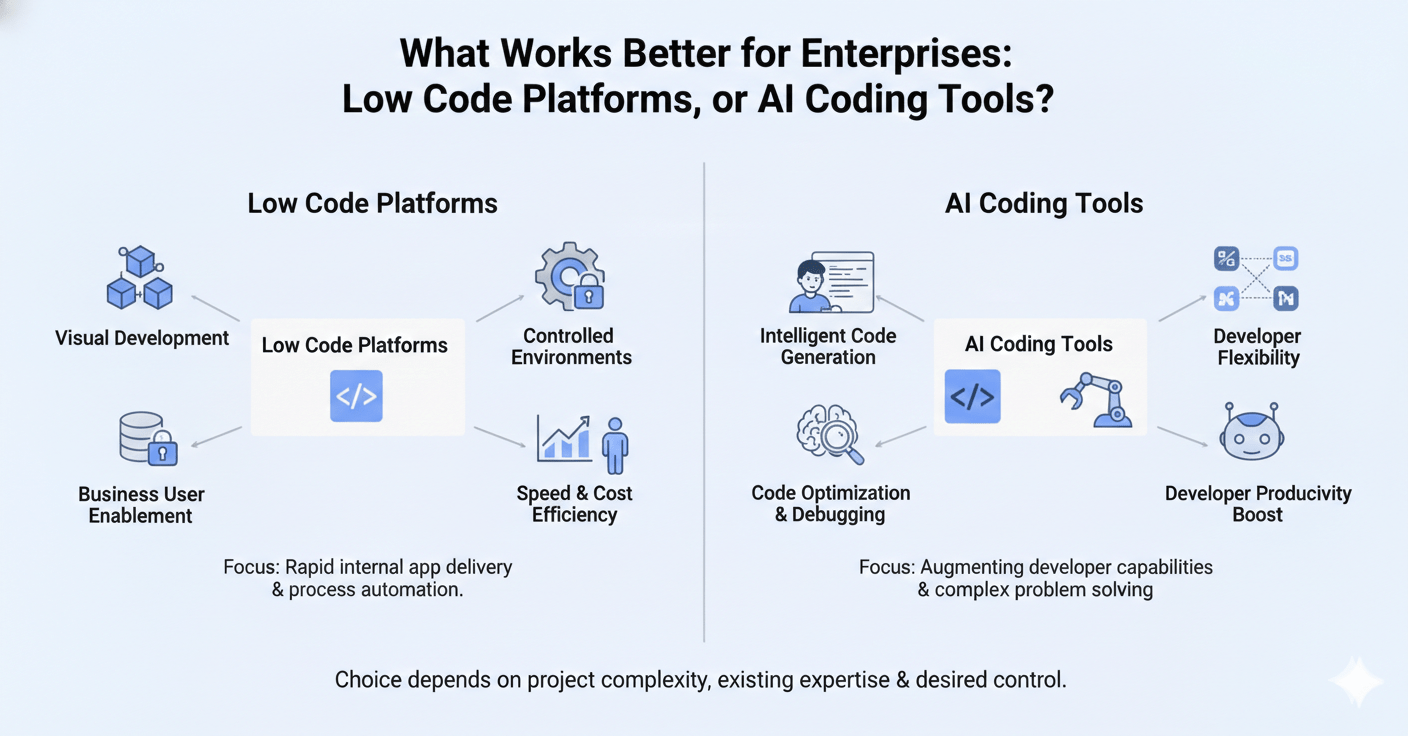
Imagine building apps without writing mountains of code. That’s the magic of Low-Code. It’s an approach to development that’s designed with one goal: to make it super easy to build new apps and add new features to existing apps.
A true Low-Code platform has these five key components.
- that allows users to build and customize applications visually without deep coding knowledge.
- that serve as starting points for new projects, significantly reducing development time and complexity.
- Tools that enable users to design and automate business processes through intuitive graphical workflows.
- that facilitate seamless integration with various external systems and applications.
- created in one project can be reused across multiple applications.
The power of Low-Code applications is in the fact that they reduce the burden on IT teams, and still let organizations build more apps. But let’s try to remember the four principles we discussed in the last section for now. Let’s see how a loa-code CRM tackles those principles we outlined:
-
Users can develop what they need, themselves
Low-Code puts the tools in your teams’ hands. Need to change a workflow? Add a new data field? With a visual, drag-and-drop approach, they can often do it themselves. This lets them solve problems as they arise, not months later. They don’t have to wait for the IT team (which is anyway too busy firefighting P1 issues and won’t have the time to serve for months to come).
-
The IT team can build sophisticated apps quickly and easily
With Low-Code, you start with proven CRM templates. These templates make setup a breeze. But flexibility is key: your teams can adjust processes as they evolve. This is how your Low-Code CRM lets you build apps that are perfectly aligned with how teams do their work.
-
Everyone gets a coherent IT ecosystem
Low-Code doesn’t just tackle sales. Think of it as the foundation to digitise everything – customer support, projects, you name it. So, with a Low-Code powered IT ecosystem, obstacles disappear from work. Customer data flows smoothly, and your teams aren’t wasting time switching apps.
-
You can develop apps at 10X speed, and 1/4th cost
Traditionally, custom features meant hefty development costs and months of waiting. Soon enough, the spirit of innovation dies out. Employees get used to a system of clutter, and either make it an excuse to slacken off themselves, or create bylanes to skip processes (further aggravating the problem of shadow IT).
With Low-Code, in-house teams can often make changes themselves. This is a massive burden off the shoulders of IT. When everyone has the confidence that they can build features and apps themselves, and that too at a cost so low that they don’t have to worry about getting approvals, then innovation thrives.
If you like this approach, you’d love Amoga’s sales CRM.
How can Amoga sales CRM help replace your IT clutter with a single platform?
Amoga is a Low-Code platform. This means Amoga lets you build what you want, quickly and cheaply.
We take a Low-Code approach across the board, and our sales CRM is no different. That means goodbye to those rigid CRM tools that force you to change the way you work. Instead, Amoga’s CRM adapts to your team’s unique needs. We know every business has its own rhythm. Amoga CRM is built to enhance that, not disrupt it. Think of Amoga as the workbench on which you create the perfect sales machine. And the results are undeniable. For one of our clients, we helped them streamline a mess of 23 different apps down to a single, powerful platform.
Ready to streamline your sales process and unlock efficiency with Amoga’s Low-Code CRM solution? Schedule a demo today to discover the transformative potential of your business!